
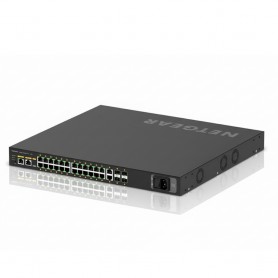




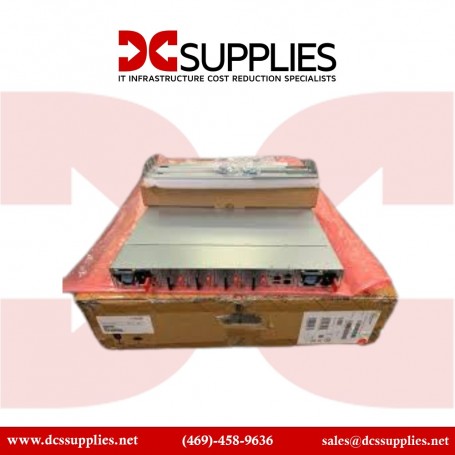
Netgear GSM4230PX-100NAS 24-Port PoE+ AV Line Managed Switch
Overview?
Modernize your office network with smart managed switches and plug-and-play unmanaged options. From compact 5-port switches to scalable 48-port solutions, we support growing businesses with flexible networking hardware. Perfect for SMBs planning an office network upgrade with bulk purchase options and long-term cost efficiency.
The Netgear GSM4230PX-100NAS, part of the M4250 AV Line, is a purpose-built networking solution engineered for professional audio and video over IP (AVoIP) environments. Unlike standard enterprise switches that often require complex manual configuration for multicast traffic, this model features a dedicated AV-oriented web interface. This allows integrators to deploy pre-configured profiles for industry-standard protocols such as Dante, NDI 5, Q-SYS, and AES67 with minimal technical friction.
Key Features
- – 24 PoE+ ports with a robust 480W total power budget.
- – Four 10G SFP+ uplinks for high-bandwidth backhaul.
- – Pre-configured AV profiles for Dante, NDI, and AES67.
- – Reversible mounting for flexible rack installation.
- Brand Netgear
- Part Number GSM4230PX-100NAS
- Product Type Managed AV Line Switch
- Total Ports 30 (24x 1G RJ45, 2x 1G SFP, 4x 10G SFP+)
- PoE Support 24x PoE+ (802.3at)
- PoE Budget 480 W
- Switching Capacity 128 Gbps
- Forwarding Rate 95.23 Mpps
- Form Factor 1U Rackmount
- Acoustic Noise 34 dB @ 25?C
- Dimensions 440 x 400 x 43.2 mm
- Weight 5.45 kg
- Operating Temperature 0? to 50? C
Frequently Asked Questions
Does this switch support AVB (Audio Video Bridging)?
Yes, the GSM4230PX supports AVB; however, it requires an optional electronic license (AVB4230PX-10000S) to be activated for full functionality.
Can the fans be adjusted for noise-sensitive environments?
The switch features software-controlled fans that adjust based on internal temperature and PoE load. In low-load scenarios, noise levels remain as low as 34dB.
Is the management interface different from standard Netgear switches?
Yes, it includes a specialized AV UI alongside the standard IT GUI, allowing users to assign AV profiles to specific ports quickly without deep CLI knowledge.
Write a Review