



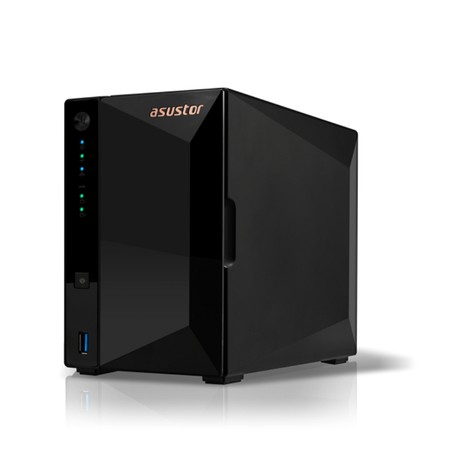
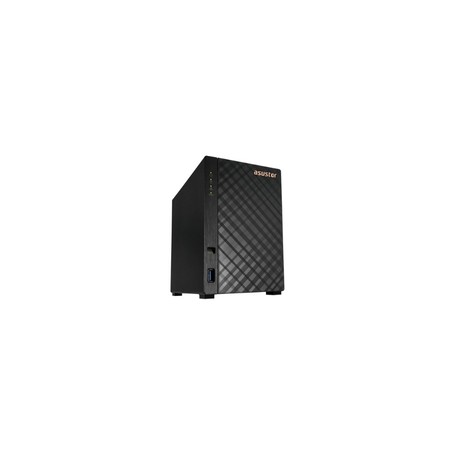
Synology DS224+ 2-bay Diskless DiskStation

Part No:J4125 Write a Review

Condition:New

Brand:Synology Inc.

Weight:4.91 lbs

Product Type:SAN/NAS Storage System

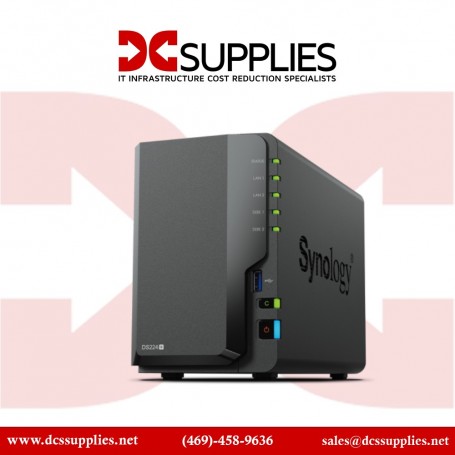
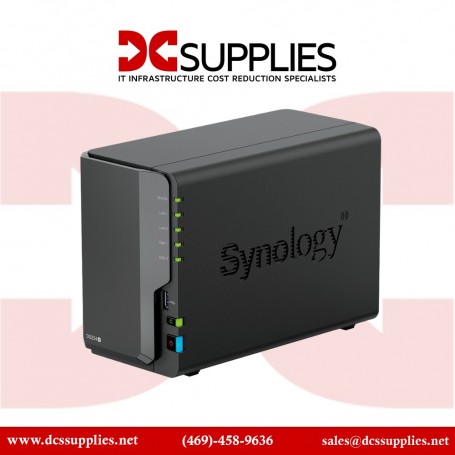
Synology DS224+ 2-bay Diskless DiskStation

Overview :

The DS224+ runs on Synology DiskStation Manager (DSM) OS, which is a browser-based operating system which helps to simplify managing your Synology NAS. Its CPU is a 2.0 GHz Intel Celeron J4125 Quad-Core with a burst frequency of up to 2.7 GHz, and its 2GB of DDR4 RAM, which can be upgraded to 6GB, allows frequently used files and applications to be quickly accessed.

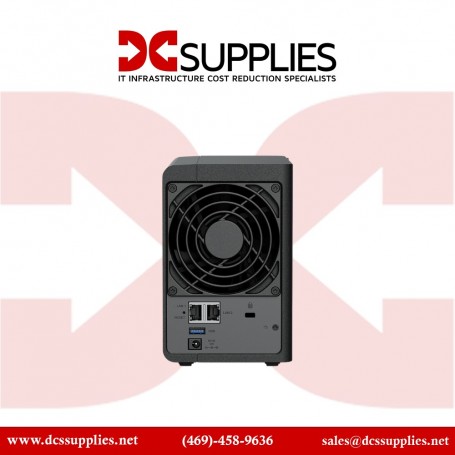
Also featured are two USB-A 3.2 Gen 1 ports for connecting external devices, and network connectivity is achieved via the dual integrated Gigabit Ethernet ports that support link aggregation and failover, allowing your stored data to be shared with users throughout the network. Data may also be made remotely available through the free iOS and Android applications. For those who require RAID support, the DS224+ supports RAID 0 and 1, as well Synology Hybrid RAID and Basic RAID, each of which offers performance, data redundancy, or a combination of both. For those who do not require a RAID, JBOD is also available, allowing each drive bay to be individually utilized.

BrandSynology Inc.
SKUDS224+
ConditionNew
Dimensions9.1 × 4.3 × 6.5 in
Weight4.91 lbs
Product NameSynology NAS DS224+ 2-Bay DiskStation Celeron J4125 2GB DDR4
Product TypeSAN/NAS Storage System
Processor ManufacturerIntel
RAID SupportedYes
Ethernet TechnologyGigabit Ethernet
Number of Total Expansion Bays2
Network (RJ-45)Yes
Maximum Power Supply Wattage60 W
Product FamilyDiskStation
Total Number of USB Ports2
Number of Hard Drives Supported2
Number of Hard Drives Installed0
Drive InterfaceSerial ATA
Operating SystemDiskStation Manager
Form FactorDesktop
Processor Speed2 GHz
Processor TypeCeleron
RAID Levels0, 1, Basic, Hybrid RAID, JBOD
Controller TypeSerial ATA
Standard Memory2 GB
Processor CoreQuad-core (4 Core)
Number of Processors Installed1
Number of Network (RJ-45) Ports2
Number of Solid State Drive Supported2
Number of Solid State Drive Installed0
Number of 2.5" / 3.5" Bays2
Number of USB 3.2 Gen 1 Ports2
Processor ModelJ4125
Height6.5"
Width4.3"
Depth9.1"
Memory TechnologyDDR4 SDRAM
Product ModelDS224+
Product LineDiskStation
Packaged Quantity1
ManufacturerSynology

Warranty

Products include the manufacturer warranty where applicable. Warranty coverage, term, and service options may vary by manufacturer and product condition.

Returns

We guarantee free replacements on all new/refurbished equipment in case of any defects.

  • Returns must be requested within 30 days of the original invoice date.
  • Merchandise must be unused and in original packaging; bulk-packed and refurbished items must have unbroken sealing tape.
  • A 25% restocking fee applies to non-defective merchandise returned by mistake.
  • Discontinued, close-out, and custom printed items are non-returnable unless defective.
  • Customer is responsible for return freight costs.

View full return policy

Customer Reviews of the Synology DS224+ 2-bay Diskless DiskStation

Based on 0 Reviews
5 Stars
0% (0)
4 Stars
0% (0)
3 Stars
0% (0)
2 Stars
0% (0)
1 Star
0% (0)

Filter Results

Do you own this product?

Write a Review

There are no reviews yet.

Write a Review

Your email address will not be published. Required fields are marked *

We Accept

  • PayPal
  • All Credit & Debit Cards
  • Purchase Orders
  • Check
  • Bank Transfer / ACH / Wire Transfer

To pay by PayPal or credit/debit card, simply check out and process payment online.

To pay by Purchase Order, Check, or Bank Transfer, please contact us:
Call: (469) 458-9636
Email: sales@dcsupplies.net

All packages are shipped same day if the order is placed before 3PM CST.

We use UPS/FedEx to ship packages, with different service levels offered by UPS/FedEx:

  • Overnight Shipping - 1 business day
  • Expedited Shipping - about 2-3 business days
  • Ground Shipping - about 3-5 business days

You can select the desired service level at checkout, and we will make sure the package is shipped per the selected service level.